

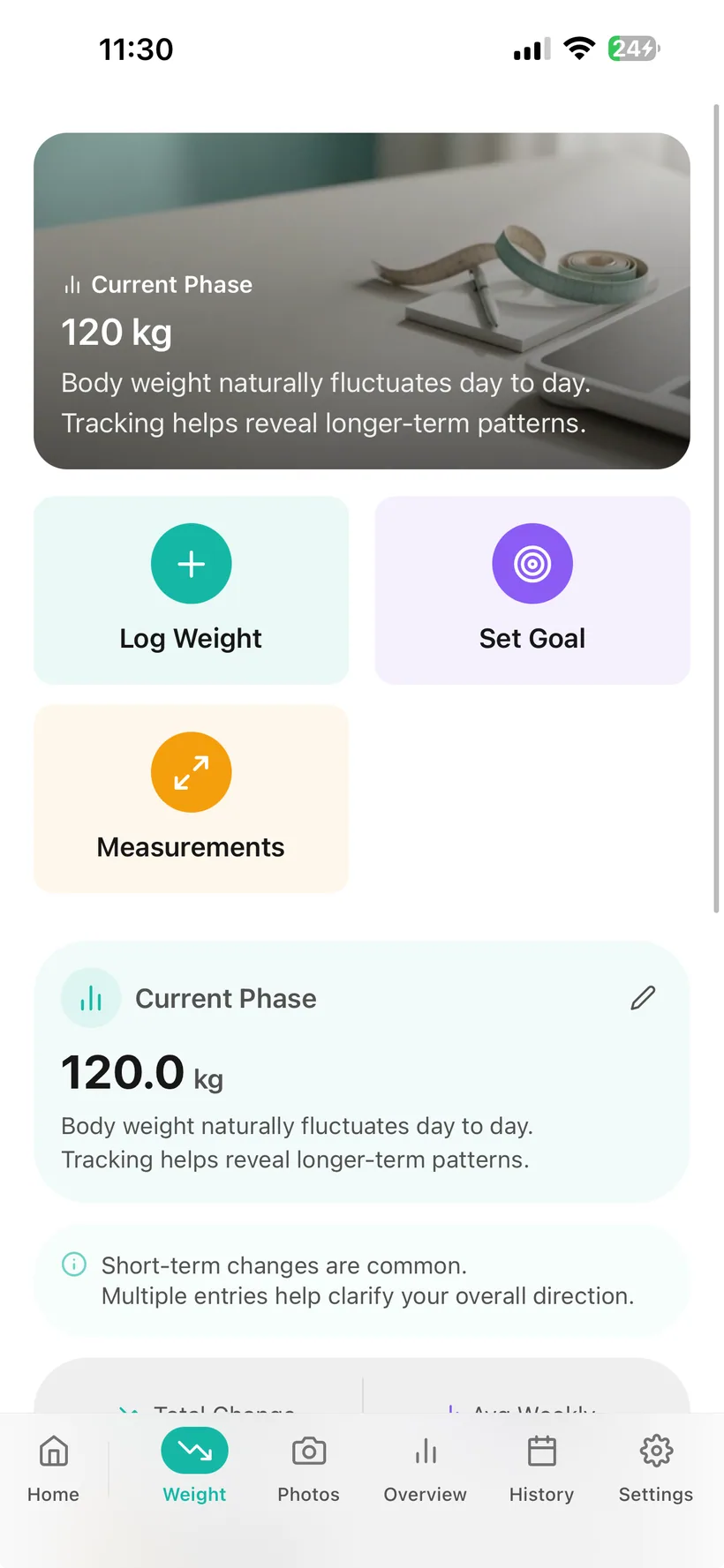
What weight and progress information can Habits record?
Habits includes:
- weight entries in kg or lb;
- a goal weight you can configure;
- timestamped weight history;
- 7-, 30- and 90-day weight charts;
- body measurements stored separately from weight;
- progress photos;
- weight quick-add from the Today screen;
- weight analytics;
- supported AI-assisted weight logging;
- separate AI permission controls for Weight, Photos and Measurements.
Core Weight and Progress Photos tracking are included in both Free and Pro.
Habits records the information you enter.
It does not determine your medically appropriate target weight or measure your body composition.
The core progress trackers are included in Free.
The current Habits entitlement reference includes:
- Weight tracking in Free and Pro;
- Progress Photos in Free and Pro;
- the core Today screen in Free and Pro;
- AI Privacy Dashboard access in Free and Pro;
- biometric lock in Free and Pro.
The expanded weekly report that includes Weight is a Pro feature.
Record weight in the unit you use.
Habits supports weight logging in:
- kilograms (kg)
- pounds (lb)
Each weight entry is stored with a timestamp and becomes part of your weight history.
Add a weight entry without opening the full tracker.
The Today screen includes a quick-add Weight action.
Use it when you want to record the current value without navigating through the wider Weight area.
Weight can also appear as one of the configurable categories in the Today checklist.
Look at the record across more than one time window.
Habits includes weight-chart views for:
- 7 days
- 30 days
- 90 days
Use them to review the direction of the weight entries recorded in the app.
The chart reflects your logged numbers. It does not explain why the numbers changed.
Keep the individual entries available too.
Alongside the chart, Habits keeps weight-history entries grouped by date.
That makes it possible to review the individual records behind the trend.
Use a goal weight as a tracking reference you choose.
Habits lets you set a goal weight.
That value can give you a reference point inside your own tracking.
Habits does not calculate what your medically appropriate or “ideal” weight should be.
If you need individual guidance about a weight target, use an appropriate qualified healthcare professional.
A body measurement does not have to be folded into the scale number.
Habits includes body-measurement records separate from weight.
The current verified product reference includes examples such as:
- waist;
- chest;
- hips;
- other body measurements supported by the app.
Keep those entries in their own record rather than treating weight as the only measurement available.
Keep a visual record if photos are useful to you.
Habits includes a Progress Photos area where you can upload and review progress photos over time.
Progress photos are optional.
They are a record you choose to keep—not a requirement for using Habits.
Habits also offers Face ID or Touch ID app locking on supported devices, which can add a device-level access barrier when the app is closed.
Three records can tell you different things without pretending they measure the same thing.
Habits keeps:
Weight
as a numeric history and chart.
Body measurements
as separate measurement entries.
Progress photos
as a visual record you choose to keep.
Habits does not combine those records into an automatic body-composition calculation.
Use the privacy controls available in Habits.
Weight, measurements and progress photos can be sensitive.
Habits includes:
- Face ID or Touch ID app locking on supported devices;
- a master AI on/off control;
- separate AI permissions for Weight, Photos and Measurements;
- an AI access history;
- health-data export in JSON or CSV;
- re-authenticated account deletion.
The data-export feature applies to logged health data. This page does not claim that original progress-photo image files are included in a CSV/JSON export.
Use natural language for supported weight entries when AI is on.
When optional AI is enabled, supported conversational logging can record weight information from what you type.
You can still use the core Weight feature without AI.
Weight is also one of the separate categories in the Habits AI Privacy Dashboard.
Decide which progress categories AI may access.
The Habits AI Privacy Dashboard includes separate controls for:
- Weight
- Photos
- Measurements
You can also switch AI processing off entirely and review recorded AI data-access events.
Habits currently uses OpenAI models for optional AI features. Relevant information from categories you allow may be processed to provide enabled AI functionality.
Review weight inside the broader Habits analytics area.
Weight trend is one of the charts included in Habits Analytics.
Use supported 7-, 30- and 90-day views to review the data you have recorded.
The chart is a tracking view—not a prediction of future weight.
Include Weight in the expanded weekly report with Pro.
The full Pro weekly report covers Weight alongside additional Habits categories.
The Free weekly report contains Medication and Hydration; Weight is part of the expanded Pro report.
This page does not claim that body measurements or progress photos are included in the weekly report.
Weight can stay connected without becoming the whole product.
In Habits, weight and progress records can sit beside:
- medication;
- protein and meals;
- hydration;
- exercise;
- mood;
- sleep.
That lets you keep different parts of your routine in one companion while deciding which ones you actually want to use.
Tracking progress is different from interpreting your body.
Habits does not:
- guarantee weight loss;
- predict how much weight you will lose;
- tell you whether weight change is medically too fast or too slow;
- determine an ideal target weight;
- diagnose a plateau;
- measure body-fat percentage;
- measure muscle or lean mass;
- determine whether weight change came from fat, muscle or water;
- analyse your body from progress photos;
- guarantee that weight will stay off.
If you need individual guidance about weight, body composition, nutrition or health changes, use an appropriate qualified professional.
GLP-1 weight and progress tracking questions
Can Habits track weight?
Yes. Habits supports weight entries in kg or lb, timestamped history and weight charts.
Can I see weight trends?
Yes. Habits includes 7-, 30- and 90-day weight-chart views.
Are Weight and Progress Photos included in Free?
Yes. The current entitlement reference includes Weight and Progress Photos tracking in both Free and Pro.
Can I quick-add weight?
Yes. The Today screen includes a Quick Add — Weight action.
Can I put Weight in my Today checklist?
Yes. Weight is one of the configurable Today checklist categories.
Can I set a goal weight?
Yes. You can configure a goal weight. Habits does not calculate what your medically appropriate or ideal target should be.
Can Habits track body measurements?
Yes. Body measurements are stored separately from weight. The verified feature reference includes examples such as waist, chest and hips.
Can I upload progress photos?
Yes. Habits includes progress-photo tracking.
Can I lock Habits with Face ID or Touch ID?
Yes. Habits includes biometric app locking on supported devices.
Does Habits have a weight-loss or weigh-in streak?
Weight is not one of the five documented Habits streak categories. This website does not claim a weight or weigh-in streak.
Does Habits compare progress photos side by side?
A side-by-side comparison or slider feature is not established in the current verified product reference, so this page does not claim it.
Does Habits calculate body fat?
No body-fat calculation is included in the current verified product reference for this website.
Does Habits measure muscle mass?
No. Habits does not measure muscle or lean mass.
Can Habits tell whether my weight loss is fat or muscle?
No. The current product does not establish body-composition analysis.
Does Habits detect a weight-loss plateau?
Automatic plateau detection is not included in the current verified feature reference.
Can Habits predict how much weight I will lose?
No. Habits tracks the information recorded in the app; it does not promise or predict weight-loss outcomes.
Can I log weight through AI chat?
When AI is enabled, supported conversational logging can record weight information from natural-language input.
Do I need AI to track weight?
No. Core weight tracking works without AI.
Can I control AI access to Weight?
Yes. Weight is a separate category in the Habits AI Privacy Dashboard.
Are Photos and Measurements also separate AI categories?
Yes. Photos and Measurements each have separate AI permission controls in the current product reference.
Is Weight included in reports?
Weight is included in the expanded Pro weekly report. This website does not claim that measurements or photos appear in reports until those fields are separately verified.
Where can I download Habits?
Habits: GLP-1 Companion is available on the Apple App Store.
About this page
Last updated: 20 August 2026
This page describes current Habits weight, body-measurement and progress-photo functionality based on the verified product feature reference.
It is product information, not a weight-loss prediction, body-composition assessment or personalised target-weight recommendation.
Security and privacy claims about progress-photo storage are intentionally limited until the production storage/access review is complete.
For individual advice about weight, body composition, nutrition or health changes, use an appropriate qualified professional.
Keep the record broader than one number.
Log weight. Keep measurements separate. Add photos if they are useful to you. Review the trend when you want the history.
Habits: GLP-1 Companion is available now on the App Store.
Small print:
Habits records weight and progress information you choose to enter. It does not predict weight loss or measure body composition.