

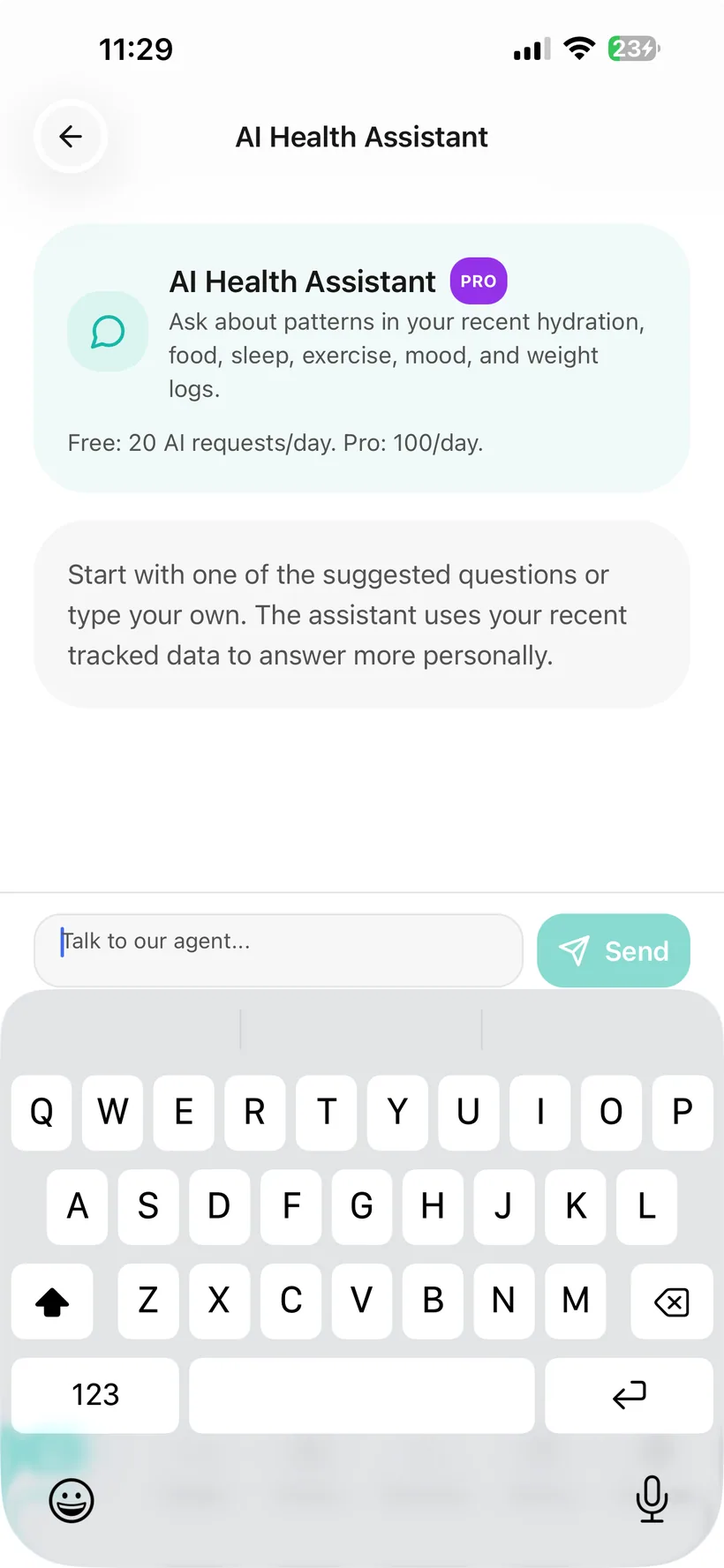
What can AI do in Habits?
Depending on the feature and your access, Habits AI can help with:
- conversational logging for supported trackers;
- food-photo estimates;
- text-based food logging;
- AI-generated workouts;
- nutrition analysis;
- trends, correlations and automated observations from recorded data;
- weekly and monthly report generation;
- a seven-day meal-plan generator in Pro;
- a Daily Plan feature that is rolling out to eligible Pro users.
Habits AI is optional.
You can use the core trackers if you decline or disable AI processing.
Habits AI does not prescribe medication, diagnose a condition or replace a qualified healthcare professional.
Keep the trackers even if you do not want AI.
Habits separates core tracking from optional AI processing.
Habits requires an AI consent choice before optional AI processing is enabled.
If you decline:
- medication tracking still works;
- hydration still works;
- food can still be logged manually;
- exercise tracking and programmes still work;
- Mood, Sleep, Weight, Photos and Measurements tracking remain available.
You can change the AI setting later from the AI Privacy Dashboard.
Use a conversational interface inside Habits.
Habits includes an AI chat experience with conversation history.
The chat can show suggested questions based on context available inside Habits.
For supported logging statements, it can also turn information from the conversation into a tracker entry.
Because AI can make mistakes, review the relevant tracker when an AI-assisted entry matters to you.
Some things can move from chat into a tracker.
The current verified conversational logging flow supports:
- Hydration
- Food
- Mood
- Weight
- Exercise
For example, a supported statement about water, food or exercise can be interpreted and added to the relevant Habits tracker.
The current verified product reference does not establish conversational write-back for Medication, Sleep, Photos or Measurements, so this page does not claim those categories.
Use AI when entering a meal manually feels like too much detail.
Habits can analyse a food photo or a natural-language meal description and return estimated nutrition information.
Supported estimated fields include:
- food name;
- description;
- meal type;
- calories;
- protein;
- carbohydrates;
- fat.
Review AI-generated food information as an estimate.
A food photo may not reveal every ingredient. If you have a food allergy, verify ingredients independently rather than relying on AI analysis as an allergen check.
Describe the workout you want to create.
Habits can generate 1–5 workout options from a text prompt.
Generated workouts can include:
- difficulty;
- home or gym setting;
- duration;
- warm-up;
- exercises;
- form notes;
- demonstration links;
- cooldown;
- tips.
Generated workouts can be saved to your personal workout library.
AI-generated workouts are app-generated exercise content, not medical exercise prescriptions.
Review a day or week of recorded food data.
Habits can generate an AI-assisted nutrition analysis for:
- the current day; or
- the previous week.
The automated analysis can include:
- an overview;
- positive observations;
- areas to review;
- suggestions;
- macro breakdown;
- meal-pattern observations.
Treat this as automated tracking support—not a nutritional diagnosis or medical nutrition prescription.
Look for trends and correlations in the data you recorded.
Habits AI Insights can surface:
- correlations;
- trends;
- automated suggestions based on recorded data.
Insights also use a Low / Medium / High label based on the amount of data available.
That label reflects data volume—not medical certainty.
A correlation does not prove that one behaviour caused another. Automated suggestions are not medical recommendations.
Turn recorded information into a structured summary.
Habits uses AI to generate health reports from recorded data.
Weekly
The Free weekly report includes Medication and Hydration.
Pro expands the weekly report across additional categories.
Monthly
Pro includes a 30-day AI-generated health report and PDF.
Doctor Report
Habits also includes a formatted Doctor Report PDF built from information recorded in your account.
Reports organise data. They are not clinician-authored diagnoses or treatment recommendations.
Generate a seven-day meal plan with Pro.
Habits Pro includes an AI meal-plan generator.
The plan can use available preference and nutrition-gap context.
Some advanced nutrition-preference functionality is rollout-controlled, so personalisation options may vary.
AI-generated meal plans are not medical nutrition therapy.
If you have a food allergy, verify every ingredient independently and do not rely on AI as the sole allergen safeguard.
A more structured Daily Plan is rolling out.
For eligible Pro users, Habits is rolling out an AI Daily Plan with up to five items across areas such as:
- medication;
- hydration;
- food;
- movement;
- recovery.
Items are ordered through the day, can be marked complete and can be regenerated with Adapt Plan.
Availability may vary while this feature is being rolled out.
Calendar access is optional and read-only.
Habits Pro includes a Google Calendar connection with read-only access.
When connected:
- Habits can view upcoming calendar events for the next seven days;
- the Daily Plan can use calendar commitments when generating a schedule, where Daily Plan is available.
You can disconnect Google Calendar.
Habits does not need permission to create, edit or delete calendar events for this feature.
Decide which parts of Habits AI may access.
The AI Privacy Dashboard includes a master AI control plus separate category permissions for:
- Medication
- Hydration
- Food
- Exercise
- Mood
- Weight
- Sleep
- Photos
- Measurements
You can change those settings.
Core tracking remains available when AI is off.
Review recorded AI data-access events.
Habits includes an AI access history showing:
- time;
- category;
- which feature accessed the data.
You can also clear the AI access history.
The number of recent entries visible differs between Free and Pro.
AI permissions are not the only controls available.
Habits also includes:
- Face ID or Touch ID app locking on supported devices;
- health-data export in JSON or CSV;
- re-authenticated permanent account deletion.
These controls are separate from the AI category permissions.
Personal identifiers are filtered in supported AI requests.
Habits applies PII masking before supported AI processing to filter identifiers such as:
- names;
- phone numbers;
- health IDs.
Relevant health or tracking context that you choose to make available may still be processed to provide the AI feature.
Know which AI provider is involved.
Habits currently uses OpenAI models to provide its optional AI features.
The Habits Privacy Policy should describe the current data flow and third-party processing in more detail.
Provider, model and data-handling configurations can change over time, so the Privacy Policy and this page must be kept aligned with the production system.
AI chat keeps conversation history in your Habits account.
The current Habits product stores AI conversation history server-side so previous conversations remain available in the chat experience.
Because AI conversations may contain sensitive information, the Privacy Policy should explain the applicable retention and deletion behaviour.
AI is available in both Free and Pro.
Both tiers include access to supported AI features.
Pro includes:
- a higher daily AI usage allowance;
- expanded reporting;
- the seven-day AI meal-plan generator;
- monthly reporting;
- selected advanced planning and nutrition functionality, subject to rollout.
The core trackers remain available without AI in both tiers.
AI support is not medical care.
Habits AI does not:
- diagnose a disease or condition;
- prescribe medication;
- choose a GLP-1 medication;
- tell you to increase, reduce, skip or stop a dose;
- replace missed-dose instructions from your medication or prescriber;
- guarantee that a side effect is normal or safe;
- check every possible drug interaction;
- provide emergency monitoring;
- replace a doctor, pharmacist, registered dietitian, mental-health professional or other qualified healthcare professional.
AI-generated information can be wrong.
For important health information or medical decisions, verify the information and use appropriate professional advice.
If you think you may be experiencing a medical or mental-health emergency, seek urgent professional help.
Questions about AI in Habits
Do I have to use AI?
No. Core Habits tracking remains available if you decline or disable AI processing.
What can AI log from a conversation?
The current verified conversational write-back supports Hydration, Food, Mood, Weight and Exercise.
Can AI automatically log Medication?
Medication is not explicitly listed in the verified conversational write-back categories, so this website does not claim AI Medication logging.
Can AI automatically log Sleep?
Sleep is not explicitly listed in the verified conversational write-back categories, so this website does not claim AI Sleep logging.
Does Habits use AI for food photos?
Yes. Habits can estimate food and macros from a photo before you save the result. The output is an estimate.
Can AI create workouts?
Yes. Habits can generate 1–5 workout options from a text prompt. AI workout generation is available in both Free and Pro within the applicable daily AI allowance.
Can AI analyse my nutrition?
Yes. Habits can generate an automated day/week nutrition analysis from recorded food data. It is not a nutritional diagnosis or medical nutrition prescription.
Does Habits have AI Insights?
Yes. Habits can surface trends and correlations from recorded data. Correlations do not prove causation.
Does Habits use AI health alerts?
The product reference contains an internal “Alert if something looks concerning” insight type, but this website does not market that function because its thresholds and escalation behaviour require separate safety/clinical review.
Does Habits create reports with AI?
Yes. Habits uses AI for weekly and monthly health summaries. Reporting depth depends on Free/Pro access.
Does Habits have an AI meal plan?
Yes. The seven-day AI meal-plan generator is a Pro feature.
Does Habits have an AI Daily Plan?
A Pro AI Daily Plan is rolling out. Availability may vary by account while the feature is being released progressively.
Does Habits connect AI to my Google Calendar?
Habits Pro can connect Google Calendar with read-only access. Where Daily Plan is available, calendar commitments can be used as scheduling context.
Can I turn AI off?
Yes. Habits includes a master AI switch.
Can I control individual categories?
Yes. The AI Privacy Dashboard has separate controls for Medication, Hydration, Food, Exercise, Mood, Weight, Sleep, Photos and Measurements.
Does Habits show when AI accessed my data?
Yes. Habits includes an AI access history showing recorded events by time, category and feature.
Does Habits remove personal information before AI processing?
For supported AI requests, Habits applies PII masking to filter identifiers such as names, phone numbers and health IDs. Relevant tracking/health context may still be processed to provide the feature.
Does Habits use OpenAI?
Yes. Habits currently uses OpenAI models for optional AI features.
Is my Habits AI data used to train OpenAI models?
This website does not make a training-use claim until the production OpenAI configuration, organisation data-sharing settings and applicable contract have been verified. See the current Habits Privacy Policy for the approved data-handling statement once that review is complete.
Does AI chat keep my previous conversations?
The current product stores AI chat history server-side so previous conversations can remain available. The current Privacy Policy should explain applicable retention and deletion behaviour.
Is Habits AI medical advice?
No. Habits AI is not a substitute for professional medical advice, diagnosis or treatment.
Where can I download Habits?
Habits: GLP-1 Companion is available on the Apple App Store.
About this page
Last updated: 20 August 2026
This page describes current and explicitly rollout-labelled Habits AI functionality based on the verified product feature reference.
It is product information—not a claim that Habits AI is a doctor, diagnostic service or medical decision-support system.
AI systems can make mistakes. Important health information should be verified and medical decisions should be discussed with an appropriate qualified healthcare professional.
Use AI where it earns its place.
Let it reduce repeated logging, generate a workout, estimate a meal or turn your records into a clearer summary.
Keep the trackers without it when you do not want it.
Habits: GLP-1 Companion is available now on the App Store.
Small print:
Habits AI can make mistakes and does not provide medical diagnosis, treatment or medication prescribing.