

The short version
Medication tracking in Habits works in four parts:
- Set up the medication — choose from the available list or add a custom medication, then enter the dose and schedule you use.
- Choose reminders — turn reminders on for that medication and set the times that fit your record.
- Log the dose — tap I took my dose when you want Habits to record it.
- Review what is next and what already happened — use the Next Dose Countdown and recent dose history.
A reminder is a notification.
A dose log is a record you create when you tell Habits you took the dose.
Those are separate states: a reminder appearing does not automatically create a dose record.
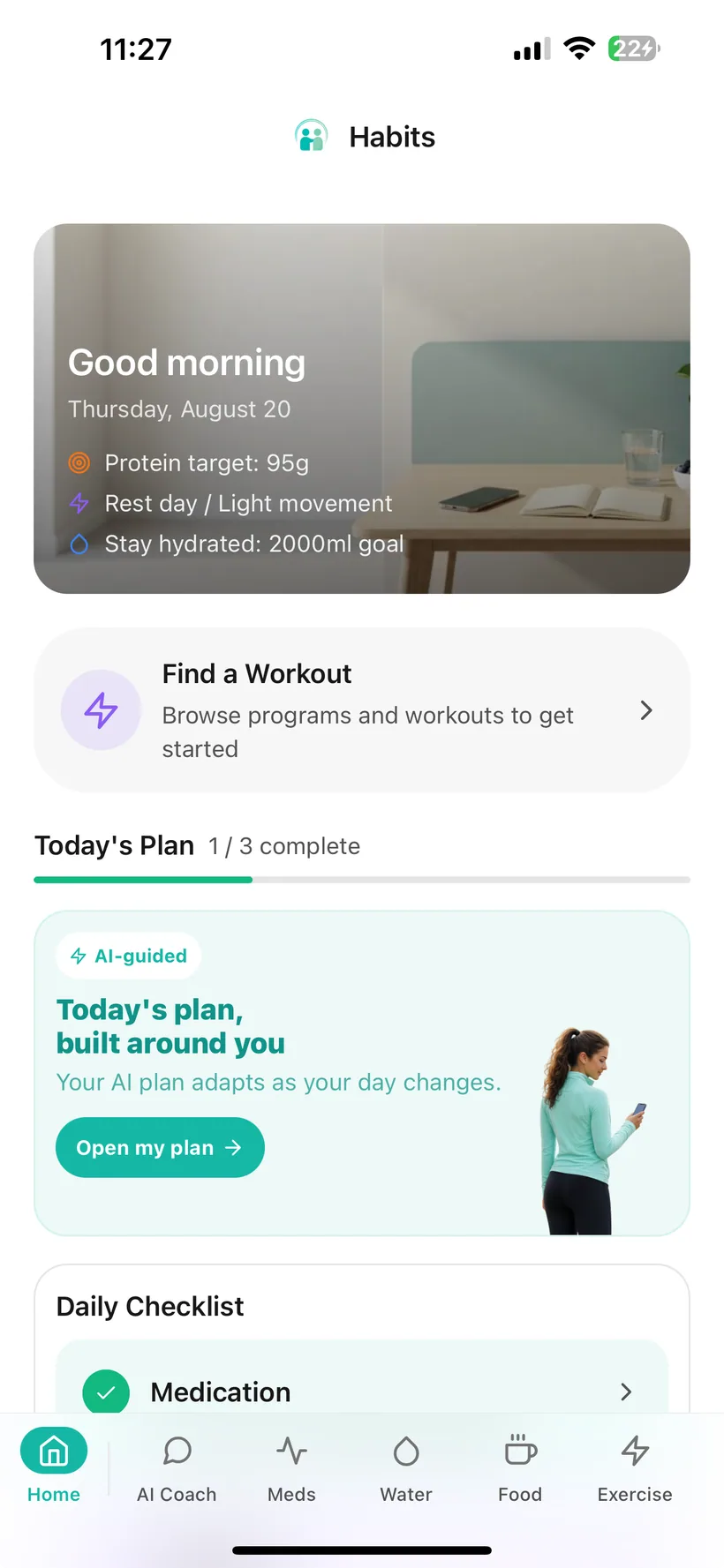
Start from Today or open Medication directly
The current Habits Today screen includes two verified ways to reach Medication:
- Medication in the Daily Checklist;
- a Medication card in the Health Shortcuts carousel.
Tapping either takes you to the Medication area.
Medication is also part of the app's main tracking navigation.
1. Add the medication you want to track
Medication setup starts with a guided flow.
You can:
- choose from the medication options currently available in Habits; or
- add a custom medication.
Then enter the dose information you want Habits to keep with the record.
What Habits is doing here
Habits is storing the medication and dose information you enter so it can support your schedule, reminders and history.
It is not selecting your medication or deciding your dose.
2. Add your schedule
Habits supports medication schedules including:
- Daily;
- Weekly;
- Monthly;
- Custom.
Choose the schedule in Habits that matches the schedule information you intend to record.
Habits uses the stored schedule to support features such as reminders and the Next Dose Countdown.
This is not a dosing recommendation
The schedule in Habits is a record you configure.
Habits does not decide:
- how often you should take a medication;
- whether your schedule should change;
- whether you should take a late or missed dose.
For treatment instructions, use the information supplied with your medication and guidance from an appropriate qualified healthcare professional.
3. Choose whether you want reminders
Medication reminders can be configured for each medication.
You can:
- turn reminders on or off for an individual medication;
- use the reminder times configured for that medication.
When a medication reminder is delivered and you tap it, Habits opens the Medication area.
Reminders are local notifications
Configured Habits reminders use local device notifications.
That means a configured reminder can work without an internet connection.
Your iPhone notification permission and system settings still affect whether and how a notification appears.
A reminder is not a medical guarantee
Habits does not promise that a notification will always be delivered.
And a delivered reminder does not mean Habits knows whether you took the medication.
Notification privacy
Your iPhone controls how notification previews appear on the Lock Screen.
If keeping medication-related app activity private matters to you, review the Show Previews setting for Habits in iPhone notification settings.
Habits' in-app biometric lock controls access to the app; do not treat it as the setting that controls iPhone notification previews.
Learn more: Reminders & Notifications →
4. Log it when you take it
When you want to record a dose in Habits, use:
I took my dose
Habits records the event with its timestamp and adds it to the medication history.
This distinction matters:
Scheduled = what the schedule stored in Habits says is next.
Logged = what you told Habits happened.
Habits should not turn a notification into a completed dose automatically.
Keep the next scheduled dose visible
Medication tracking includes a Next Dose Countdown.
It shows the time remaining until the next dose based on the schedule stored in Habits.
That can make it easier to see what is coming next without calculating the interval yourself.
Important boundary
The countdown reflects the schedule saved in the app.
It is not a medical instruction that tells you whether you should take, delay, skip or change a dose.
If your treatment schedule changes, update the record in Habits to reflect the instructions you are following.
Look back at what you recorded
Habits keeps a list of recent doses recorded for the medication.
This gives you a simple history of the dose events you have logged.
That can help when you want to answer a practical question such as:
“When did I last record this dose?”
The history is based on what has been entered in Habits.
It is not an independent medical or dispensing record.
Side effects have their own history
Medication tracking also links with the Habits side-effect record.
You can choose a side effect from the current curated list and keep a history of what you recorded.
That feature is for recording.
It does not:
- diagnose the cause;
- determine medical severity;
- tell you whether a symptom is safe.
Learn more: How Side-Effect Tracking Works →
Your medication record is not fixed forever
The current Medication feature lets you edit or delete medications and their related records using the controls available in the app.
If your real treatment changes, Habits does not decide what the new treatment should be.
Update the app only to reflect the information you intend to track.
Clear boundaries matter
The current documented Habits Medication feature set does not include verified support for:
- injection-site tracking;
- injection-site rotation advice;
- estimated medication levels in your body;
- drug-level curves;
- dose titration recommendations;
- medication interaction checking;
- missed-dose medical instructions;
- advice about switching medication;
- diagnosis from your medication history.
Habits is designed to help keep the record organised.
Medical treatment decisions belong with appropriate qualified healthcare professionals.
Medication tracking works without optional AI
Core Medication tracking and Medication reminders do not require you to enable optional AI.
The current verified conversational AI write-back categories are:
- Hydration;
- Food;
- Mood;
- Weight;
- Exercise.
Medication is not in that verified conversational write-back list, so this guide does not claim that AI can automatically create Medication dose records from chat.
If you choose to use optional AI
Medication is one of the nine data categories that can be independently allowed or disabled in the Habits AI Privacy Dashboard.
That control relates to optional AI processing.
It does not change the fact that the core Medication tracker and reminders work without optional AI.
Learn more: AI in Habits →
Learn more: Privacy & AI Data Controls →
Available in the Free plan
The current Habits plan matrix includes:
- Medication tracking;
- Medication reminders;
in both Free and Pro.
You do not need Pro simply to keep a Medication record and use the current Medication reminder feature.
Medication tracking questions
Can I add a custom medication?
Yes.
Habits supports choosing from the available medication list or adding a custom medication.
What schedule types does this guide currently document?
The current safe public list is:
- Daily;
- Weekly;
- Monthly;
- Custom.
The internal product reference also contains a “Bi-weekly” label, but this guide omits it until Product/Engineering confirms exactly what the label means.
Can Habits remind me about the medication?
Yes.
Medication reminders can be configured per medication.
Reminder delivery still depends on iPhone notification permission and system behaviour.
Does Habits know whether I took the medication when the reminder appears?
No.
A reminder and a recorded dose are separate.
Use I took my dose when you want to create the dose record.
Can I see when my next scheduled dose is due?
Yes.
Habits includes a Next Dose Countdown based on the schedule stored in the app.
Does Habits tell me what dose I should take?
No.
Habits records the dose information you enter. It does not prescribe or change a medication dose.
Does Habits tell me what to do after a missed dose?
No.
Habits does not provide missed-dose medical instructions.
Follow the information supplied with your medication and appropriate professional guidance.
Does Habits track injection sites?
Injection-site tracking is not in the current verified Habits feature set for this website.
Does Habits show the amount of medication in my body?
No verified medication-level or drug-curve feature is included in the current Habits feature set.
Do I need AI to use Medication tracking?
No.
Core Medication tracking and reminders work without optional AI.
Is Medication tracking Pro-only?
No.
The current plan matrix includes Medication tracking and reminders in Free and Pro.
Keep your medication record in the same place as the rest of your routine.
Set up the schedule you use, choose reminders, record a dose when it happens and keep recent history easier to find.
Small print:
Habits is a health tracking and habit-support application. It does not provide medical diagnosis, treatment, prescribing or missed-dose medical instructions.