

The short version
When the feature is available, the Habits AI Daily Plan can:
- create a personalised schedule for the day;
- place up to five plan items in time order;
- use documented item types such as Medication, Hydration, Food, Movement and Recovery;
- let you mark plan items complete;
- use Adapt Plan to regenerate the remaining plan based on what you have already done.
If Google Calendar is connected and the relevant features are available, Calendar commitments can also provide schedule context.
Important
The Daily Plan does not replace:
- the Medication tracker;
- your prescribed medication instructions;
- a healthcare professional;
- emergency or medical care.
Habits has two different ways to organise the day
Today checklist
The core Habits Today screen has a configurable checklist that can include:
- Medication;
- Protein;
- Movement;
- Hydration;
- Mood;
- Sleep;
- Weight;
- Nutrition.
You choose which checklist items appear.
AI Daily Plan
The AI Daily Plan is a separate Pro AI feature.
It creates a time-ordered plan with up to five documented item types:
- Medication;
- Hydration;
- Food;
- Movement;
- Recovery.
Why the difference matters
You do not need optional AI just to use the normal Habits Today checklist or core trackers.
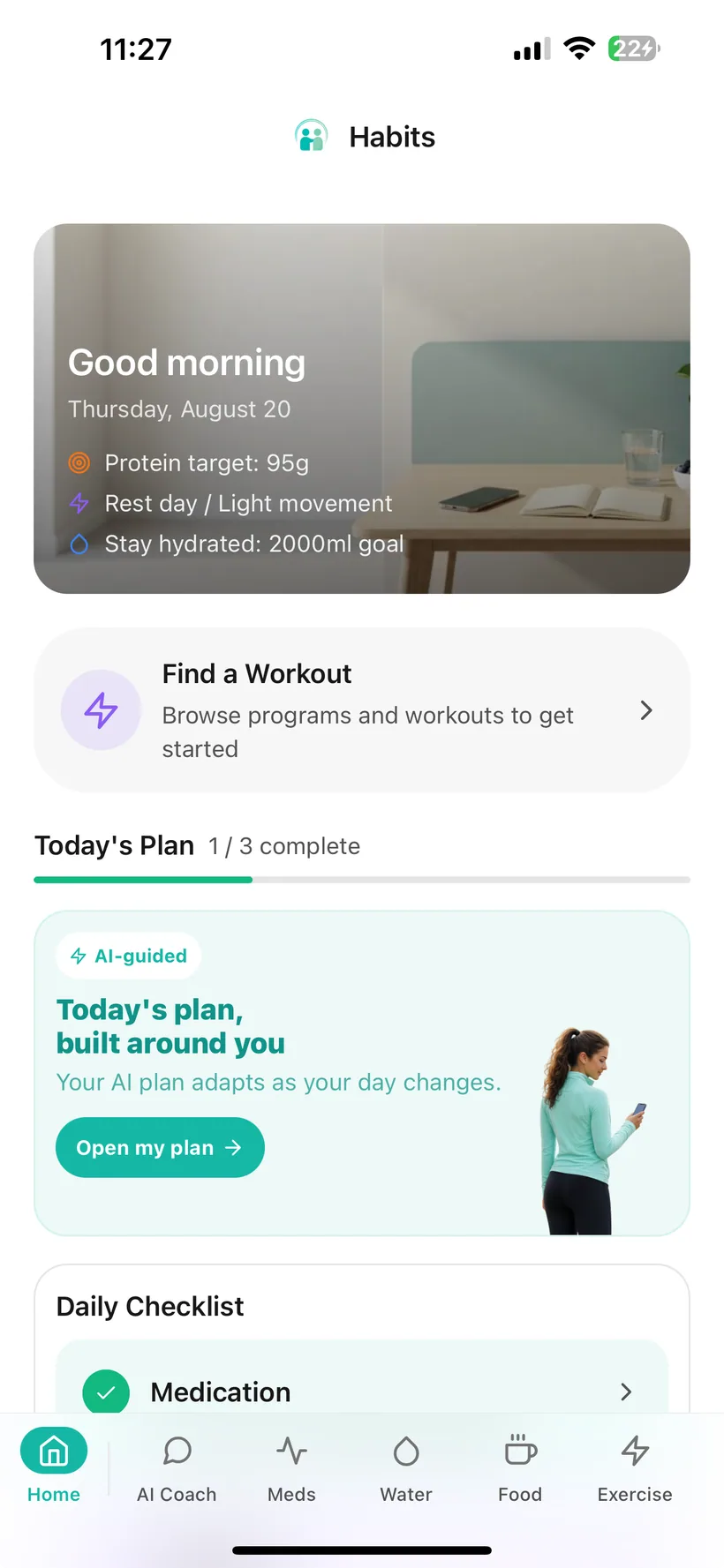
Daily Plan is linked from Today when the feature is available
The current Habits Today dashboard includes an AI Daily Plan card that links to the generated plan experience.
The exact button labels and screen layout should match the current production build.
The current source documents five plan item types
A generated Daily Plan can contain up to five items drawn from:
Medication
A Medication-related item can appear in the plan.
Do not use the Daily Plan to decide medication dose, titration or what to do after a missed dose.
Hydration
A Hydration item can help organise a Water-related habit into the day.
Food
A Food item can help organise a Food-related habit into the day.
Movement
A Movement item can help organise activity into the day.
Recovery
A Recovery item can appear as part of the daily schedule.
The plan can vary
“Up to five” does not mean every plan always contains:
- five items;
- all five item types.
The generated schedule can depend on the context available to the AI feature.
Items are arranged chronologically
The current product reference says Daily Plan items are sorted by time.
That makes the plan a daily sequence rather than an unordered list of suggestions.
The time is not automatically a medical instruction
A timestamp in an AI-generated plan should not be interpreted as:
“AI has medically determined that this is the correct time for my medication.”
Medication timing must stay consistent with the user's actual medication instructions and the verified Medication schedule stored in Habits.
You can mark Daily Plan items complete
The current Daily Plan includes a completion control for plan items.
That helps the plan keep track of what you have marked as done during the day.
Adapt Plan regenerates the schedule based on what you have already done
The current product includes an Adapt Plan control.
It regenerates the plan using the current day's progress so the remaining plan can reflect what you have already marked or recorded.
Adaptation does not mean medical reassessment
Adapt Plan should not be treated as:
- medication titration;
- symptom triage;
- medical monitoring;
- a replacement for prescribed instructions.
If the regenerated plan conflicts with medication instructions or professional medical advice, do not use the AI plan to override that guidance.
Connected Calendar information can help the plan work around occupied time
If you choose to connect the Pro Google Calendar integration, the product reference says Daily Plan can be aware of Calendar commitments.
That can provide schedule context while the plan is generated.
Google Calendar remains:
- optional;
- read-only.
Important
Connecting Calendar does not give Habits permission to create or change Google Calendar events.
Learn more: How Google Calendar Works in Habits →
Daily Plan is an AI feature
Core Habits tracking does not require optional AI.
Daily Plan does.
If optional AI is declined or disabled, Habits' normal trackers and Today checklist remain available.
Habits documentation describes direct-identifier masking for Daily Plan generation
The product reference says PII masking is used for Daily Plan generation and filters direct identifiers such as:
- name;
- phone number;
- health IDs.
Masking is not the same as anonymity
The plan may still need relevant health/habit context that you have permitted for the feature.
Removing a name does not automatically make the remaining context anonymous.
Learn more: How AI Privacy Controls Work in Habits →
Plan times and notification reminders are separate product concepts
Habits has separate local-device reminder features for:
- Medication;
- Water;
- Exercise;
- Programme Workouts.
The Daily Plan is a time-ordered AI schedule.
This guide does not claim every Daily Plan item automatically creates an iPhone notification.
If you want a verified local reminder, use the relevant Habits reminder control where available.
Learn more: How Reminders Work in Habits →
A goal stored in Habits is not automatically a clinical recommendation
Habits lets users configure tracking goals for areas such as:
- Hydration;
- Exercise;
- Nutrition;
- Sleep.
If an AI Daily Plan refers to one of those goals, the plan should be understood as organising the goal already stored in Habits — not proving that the goal is medically appropriate for you.
Daily Plan should not be used to independently prescribe:
- fluid intake;
- calorie intake;
- Protein or macro targets;
- Exercise intensity;
- sleep treatment.
Review AI-generated plan items before relying on them
Daily Plan is generated by AI.
AI output can be incomplete, inappropriate or wrong.
Do not use a Daily Plan item to override:
- medication instructions from your prescriber;
- medical advice;
- urgent/emergency guidance.
The plan is designed to organise habits and routines — not make treatment decisions.
AI Daily Plan questions
What is the Habits AI Daily Plan?
It is an optional Pro AI feature that creates a short time-ordered schedule for the day.
How many items can it include?
The current product reference documents up to five items.
What kinds of items can appear?
The current documented types are:
- Medication;
- Hydration;
- Food;
- Movement;
- Recovery.
Is Daily Plan the same as the Today checklist?
No.
The normal Today checklist is a configurable core feature.
AI Daily Plan is a separate Pro AI feature.
What does Adapt Plan do?
It regenerates the Daily Plan based on what has already been done during the day.
Can Daily Plan change my medication dose?
It should not be used to decide dose, titration or missed-dose action.
Medication decisions should follow your prescribed instructions and appropriate healthcare guidance.
Does the plan automatically send notifications?
This guide does not claim that.
Habits has separate local reminder settings for Medication, Water and Exercise-related routines.
Can it use Google Calendar?
The product reference says connected Google Calendar commitments can provide context for Daily Plan where the related features are available.
Do I need to connect Google Calendar?
No.
Google Calendar is an optional Pro integration.
Do I need AI turned on?
Yes, Daily Plan is an optional AI feature.
Core tracking remains available without optional AI.
Is Daily Plan guaranteed for every Pro user?
The current product reference says it is rollout-controlled.
This page should not be published as a guaranteed Pro feature until that production rollout state is resolved.
Does a Daily Plan target mean that amount is medically right for me?
No such medical conclusion should be drawn.
Habits can contain user-configured tracking goals. A Daily Plan can organise habits, but it should not be treated as prescribing a medically appropriate fluid, calorie, Protein or Exercise target.
Is Daily Plan medical advice?
No.
It is an AI-generated organisation/habit-support feature, not medical advice or a treatment plan.
Use the plan as a short daily organiser — not as a medical decision-maker.
When AI Daily Plan is available, review the time-ordered items, mark progress and use Adapt Plan when you want the remaining day reorganised.
Small print:
AI Daily Plan is a Pro AI feature and may be rollout-controlled. AI output can be incorrect. It does not diagnose, prescribe or replace professional medical advice.