

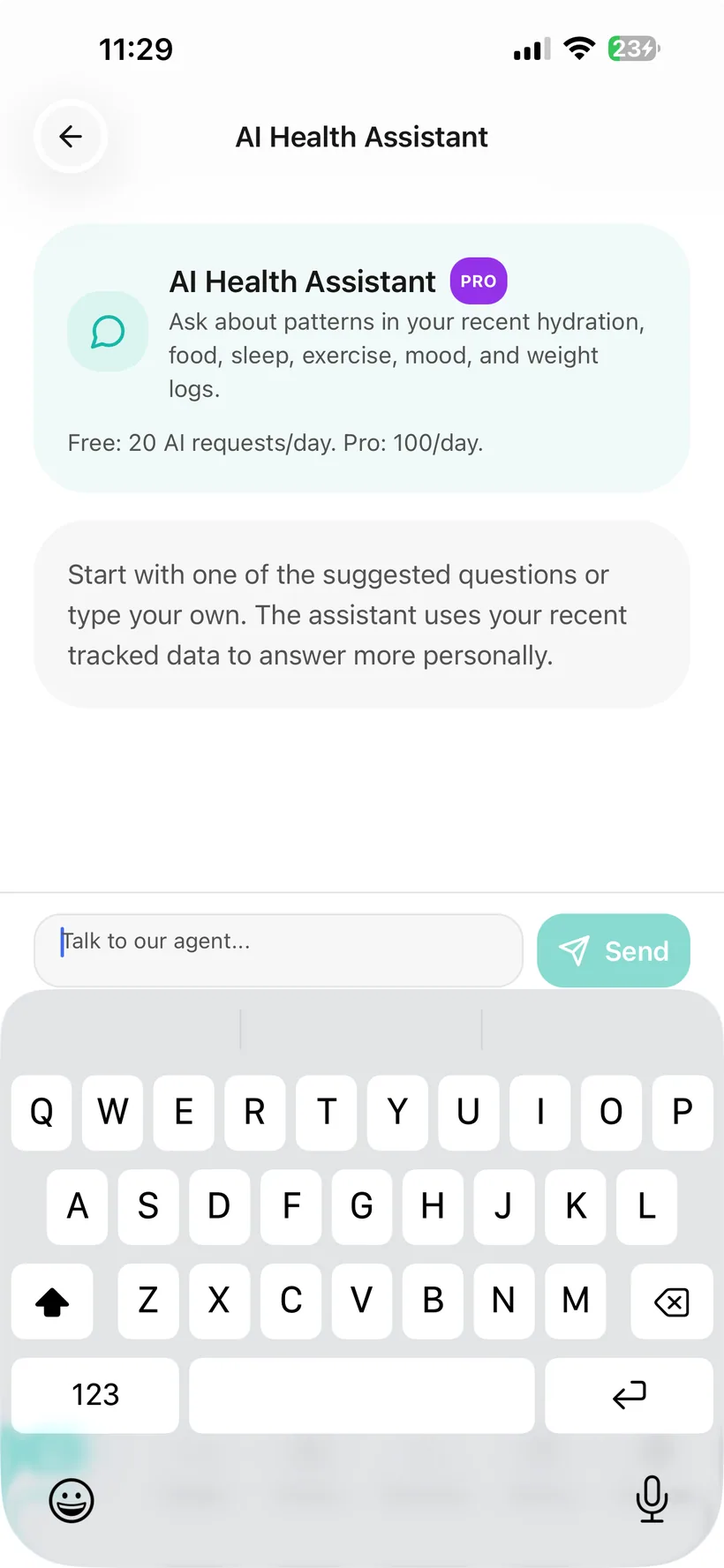
The short version
Habits AI Chat can do two different jobs:
Conversation
You can ask questions or interact with the AI interface.
Smart Logging
For currently supported tracker types, Habits can extract structured information from what you say and create a tracker entry.
The verified write-back set is:
- Hydration;
- Food;
- Mood;
- Weight;
- Exercise.
Smart Logging does not currently verify conversational write-back for Medication, Sleep, Photos or Measurements.
AI Chat is linked from the Habits Today experience
The current Today dashboard includes an AI Assistant card that links to the AI chat screen.
The current app also stores previous AI conversations so the chat can persist across sessions.
Habits can suggest questions based on available context
The product source documents AI-generated suggested questions when Chat loads.
Those suggestions can be contextual to health/tracking information available to the AI feature.
A suggested question is:
a prompt to start a conversation
not:
a medical recommendation.
You do not need to use a suggested question.
Supported chat messages can become tracker entries
The current product source documents Smart Logging through conversational extraction.
For example, information typed into Chat can be turned into a supported tracker record rather than making you open each tracker manually.
Five verified write-back areas
Habits currently verifies chat write-back for:
- Hydration;
- Food;
- Mood;
- Weight;
- Exercise.
A tracker entry is different from ordinary conversation
Not every sentence should become a health record.
Habits should only create a record when the conversation contains enough supported information to do so.
Chat can create a Hydration entry
The source gives a Hydration example as a verified Smart Logging use case.
If you describe a supported Water/fluid entry clearly enough, Chat can create the corresponding Hydration record.
Exact quantities matter
A phrase such as:
“two glasses of water”
does not inherently specify an exact millilitre/ounce volume.
This guide does not claim Habits uses a particular glass-size conversion until the running extraction rules are verified.
Chat can create a Food entry
Food is one of the verified conversational write-back categories.
The broader Habits Food system stores:
- meal name;
- meal type;
- calories;
- Protein;
- carbohydrates;
- fat.
AI-assisted Food logging can involve estimates.
That means:
an AI-created Food log should not be treated as measured nutrition.
Chat can create a Mood entry
Mood is one of the verified write-back categories.
The Habits Mood tracker uses a five-point scale:
- Awful;
- Bad;
- Okay;
- Good;
- Great.
Conversation is not automatically a Mood log
A user may discuss feelings without intending to record a Mood entry.
The product should distinguish:
talking about Mood
from:
asking Habits to log Mood.
Chat can create a Weight entry
Weight is one of the verified Smart Logging categories.
Habits supports:
- kg;
- lb.
When logging Weight through conversation, the unit and value need to be clear.
Chat can create an Exercise entry
Exercise is one of the verified conversational write-back categories.
A supported message can create an Exercise record in Habits.
Smart Logging is deliberately narrower than the full Habits product
This guide does not currently claim conversational write-back for:
Medication
Use the Medication tracker and I took my dose action for the verified dose record.
Sleep
Habits has a Sleep tracker, but conversational Sleep write-back is not currently verified.
Progress Photos
Chat does not have a verified flow for adding Progress Photos.
Measurements
Conversational Measurements write-back is not currently verified.
Side Effects
Habits has Side Effect tracking inside Medication, but conversational Side Effect write-back is not in the verified Smart Logging list.
Why this matters
The AI Privacy Dashboard has more categories than the conversational write-back system.
AI can access a category
does not mean
Chat can create a record in that tracker.
Do not use AI Chat to change your medication instructions
Habits AI Chat should not be used to decide:
- what dose to take;
- whether to change dose;
- what to do after a missed dose;
- whether to stop medication;
- whether medications interact;
- whether medication is safe in pregnancy;
- whether a symptom means you should change treatment.
Medication decisions should follow your prescribed instructions and appropriate professional guidance.
If you have an urgent health concern, do not wait for AI Chat
AI Chat is not:
- emergency monitoring;
- a diagnosis service;
- a substitute for urgent care;
- proof that a symptom is safe.
If something feels urgent or severe, use appropriate medical/emergency care rather than waiting for a chatbot response.
Core tracking remains available if you do not want AI Chat
Habits includes an AI consent system.
If optional AI is declined or disabled:
- AI Chat should not process a new conversation;
- core trackers remain available.
Habits currently uses OpenAI models for optional AI features.
Chat should follow the AI data permissions you choose
Habits' AI Privacy Dashboard includes category controls for:
- Medication;
- Hydration;
- Food;
- Exercise;
- Mood;
- Weight;
- Sleep;
- Photos;
- Measurements.
Those controls govern optional AI access.
The five verified conversational write-back categories are a smaller set.
Learn more: How AI Privacy Controls Work in Habits →
Habits records AI data-access events
The AI Privacy Dashboard includes an AI access history with:
- time;
- data category;
- AI feature.
Chat is one of the supported AI flows.
Smart Logging audit question
If one message writes to:
- Food;
- Hydration;
the access history should accurately represent the categories used.
Access audit ≠ mutation audit
The documented AI access history records:
- time;
- category;
- feature.
That does not necessarily tell the user:
“AI created a 500 ml Hydration record.”
For Smart Logging, consider a separate product-visible action acknowledgement/history containing:
- what tracker was changed;
- what value was written;
- time;
- Undo/Edit where applicable.
Do not overstate the AI access log as proof of every record mutation.
Habits documentation specifically includes Chat in its direct-identifier masking flow
The current Privacy source says PII masking applies to Chat.
It is documented to remove direct identifiers such as:
- name;
- phone number;
- health IDs;
before supported content reaches the AI model.
Masking is not anonymity
The Chat may still need relevant permitted health/tracking context to respond.
Removing a name does not make the remaining health information anonymous.
Your AI conversation can persist across sessions
The current product source says AI conversation history is stored server-side.
That allows previous Chat conversation history to persist.
Turning AI off should not be interpreted as automatically deleting earlier Chat history.
The final Privacy Policy should explain the verified retention and deletion treatment.
AI Chat is included in Free and Pro
The current plan matrix includes AI Health Chat in:
- Free;
- Pro.
Both plans have a daily AI allowance.
Pro has a higher allowance.
Exact usage numbers
This guide does not publish exact call counts until customer-facing quota semantics are finalised.